a month of content,
in minutes.
Nayavo analyzes your brand and competitors, plans your calendar, generates on-brand posts, and manages Google Ads & Meta Ads campaigns in your own connected ad accounts. Publish to Instagram & TikTok, measure everything, all in one studio.
7-day free trial · No credit card required · Connect Google Ads, Meta Ads, Instagram, TikTok, Shopify & Amazon
02 · Analysis to publish: the whole loop
Everything your team does to grow a brand, in one place.
No more juggling a dozen tabs. Nayavo brings analysis, creation, scheduling, paid media and commerce into a single, AI-assisted studio.
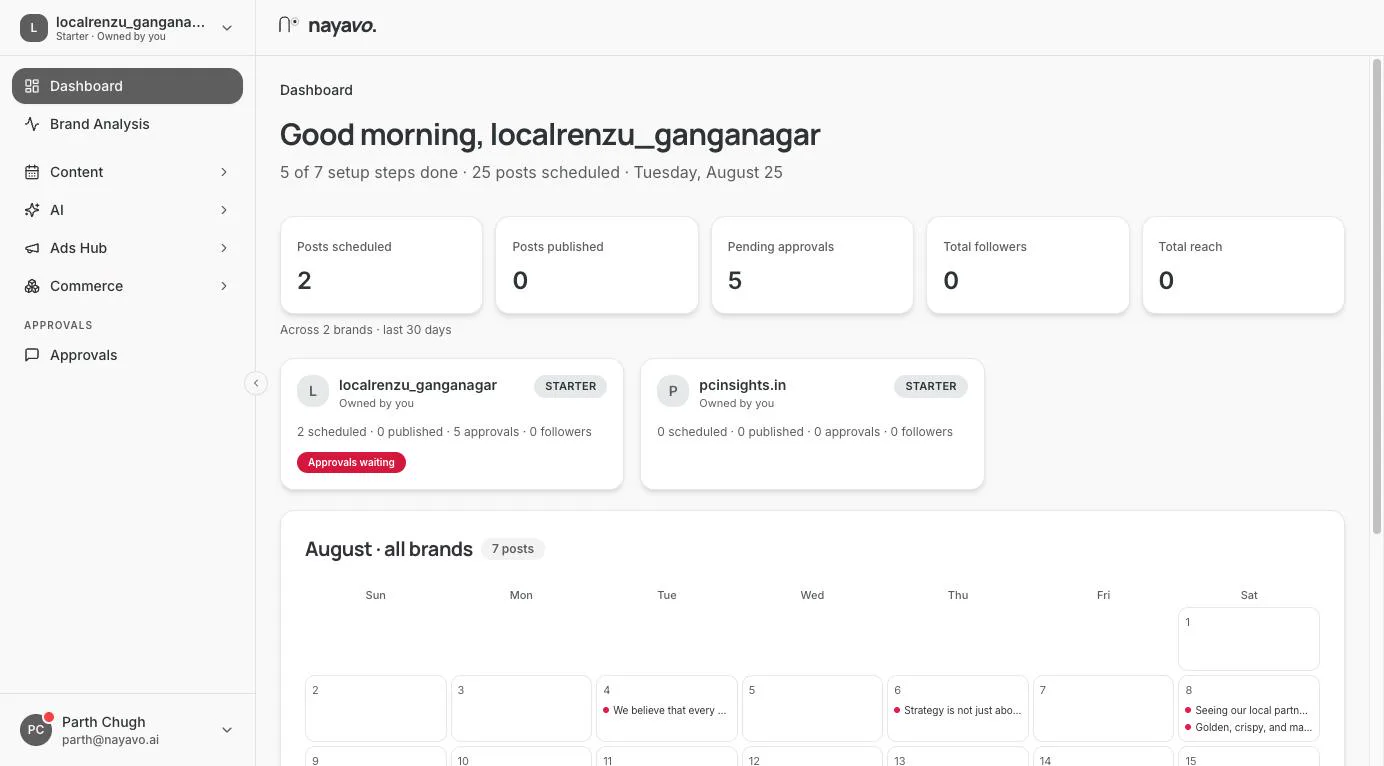
Brand Intelligence
See your brand from every angle.
Analyze competitors, decode your visual and caption signatures, and discover the brands closest to you in meaning, not just category.
Calendar & approvals
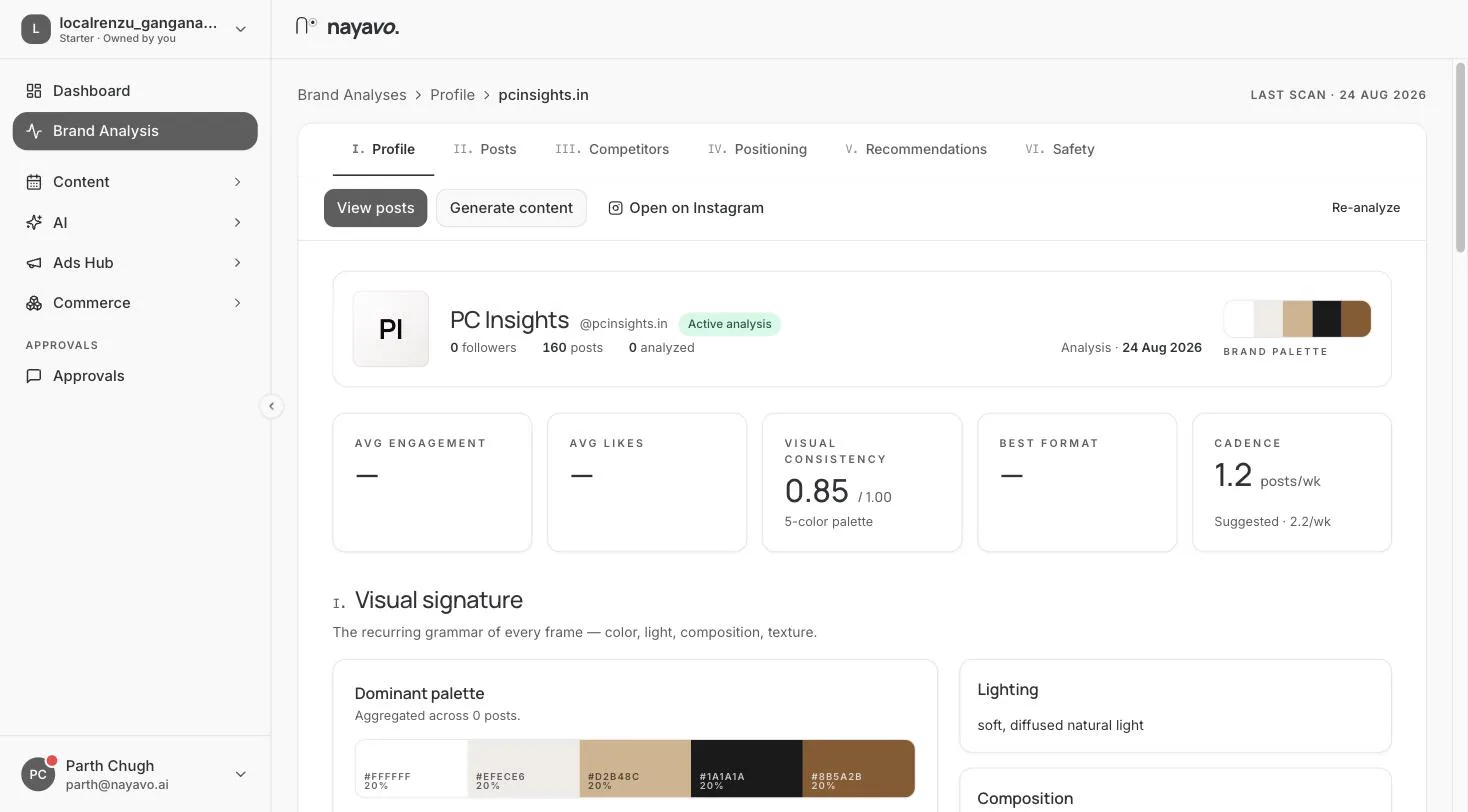
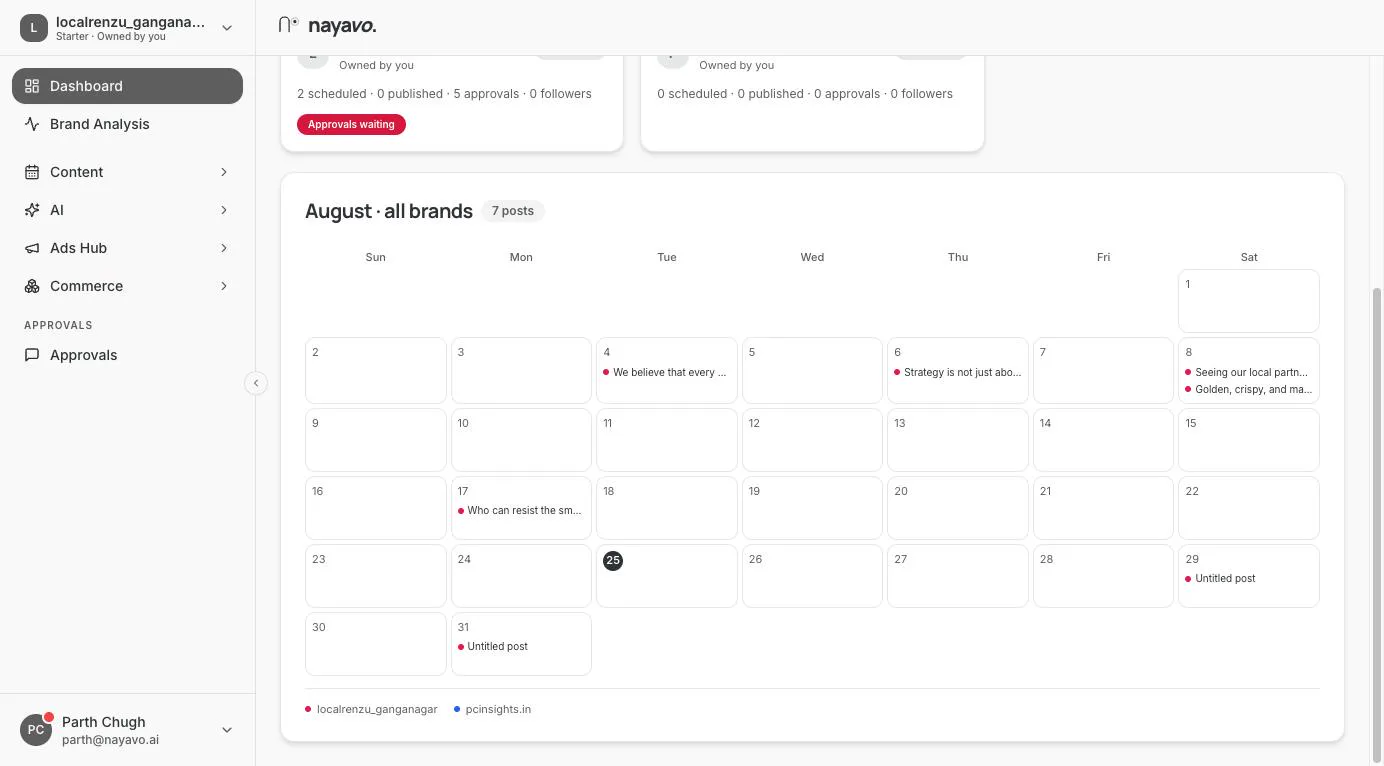
Plan the month, approve in a tap.
A full month of posts, drafted and scheduled. Your team reviews and approves on WhatsApp or in the app, with chat-style feedback turned into a fresh draft.
Data & analytics
Know exactly what's working.
Nayavo reads your content signature (formats, archetypes, cadence, voice and hashtags) and turns every post's performance into clear, do-this-next recommendations.
Ads Hub · Google Ads & Meta Ads
Paid media, from the same studio.
Connect your own Google Ads and Meta Ads accounts and Nayavo manages them through the official Google Ads API and Meta Marketing API. Campaign management, budgets, AI optimization and performance reporting — the campaigns stay in your accounts, Nayavo is just a better interface for running them.
Connect your own Google Ads & Meta Ads accounts with OAuthSee how the Google connection works
Google Ads & Meta Ads, on your terms.
Nayavo never opens an ad account for you and never touches one you have not connected. You authorise your own accounts through Google and Meta, you choose which ones, and you can withdraw that access whenever you like.
Your own connected accounts
Manage Google Ads & Meta Ads securely.
Users securely connect their own Google Ads and Meta Ads accounts using OAuth authentication. Nayavo works through the official platform APIs, so every campaign stays inside the advertiser’s account.
You connect your own Google Ads account through Google’s OAuth consent screen. Nayavo then reads and manages that account through the official Google Ads API — the campaigns, budgets and history remain yours, in your Google Ads account.
The same applies to Meta. You authorise your own Meta Business account through Facebook Login, and Nayavo manages it through the official Meta Marketing API. Nothing is created or spent without your instruction.
Once connected, you can
Build Search, Performance Max and Meta campaigns and push them to your connected account.
Update names, targeting, creative and bidding without leaving the studio.
Stop or restart any campaign, ad group or ad the moment you need to.
Set daily and lifetime budgets, shift spend between campaigns, and cap it.
Impressions, clicks, CTR, CPM, conversions and spend, read straight from the platform.
Suggestions on budget, creative and targeting that you approve before anything changes.
Return on ad spend per campaign, next to the organic content driving the same goal.
Build and reuse audience lists and retargeting segments across campaigns.
Google Ads and Meta Ads in one report, beside your Instagram and TikTok results.
Google OAuth, step by step
How the Google connection works.
Five steps, all of them started by you. Nayavo only accesses the data you authorize on Google’s consent screen — nothing beyond it, and nothing before you have agreed to it.
Nayavo only accesses the data you authorize on the Google consent screen — nothing more.
Security & your data
Your Google data stays yours.
Nayavo never accesses an account without permission, and the permission is always yours to take back.
Read the privacy policyEvery post starts with homework.
This is what Nayavo reads from your Instagram, and your competitors' , before a single caption is written. Nothing generic goes out; every draft is grounded in your own signals.
The colours your feed already owns, extracted post by post.
How your frames are lit, cropped and built: your visual grammar.
The tone, themes and phrasing that sound like you, not a bot.
What you post, how often, and which formats actually land.
The brands your audience also follows, mapped by meaning on a 500k-profile dataset.
When your audience is really online, day by day, hour by hour.
Run it all from your pocket.
Review brand analysis, approve drafts, manage integrations and schedule posts, wherever you are. Now on the App Store and Google Play.
A real screen recording — creating a reel with the AI Creative Director
Made with Nayavo — real output, unedited
Raw footage next to the finished reel
Two product photos become a premium reel
Simple plans that scale with you.
10 · FAQ
Your questions, answered clearly.
How does Nayavo actually work?+
You connect your brand and channels. Nayavo analyzes your and your competitors’ Instagram, builds a monthly content calendar, generates on-brand posts and ads, takes approvals on WhatsApp or the app, and publishes to Instagram & TikTok, then measures results back into the loop.
Why does Nayavo request Google Ads access?+
So you can run your paid campaigns from the same place as your organic content. With your permission, Nayavo uses the Google Ads API to create, edit, pause and resume campaigns, manage budgets and audiences, and read performance data such as clicks, spend and ROAS. Access is requested only when you choose to connect a Google Ads account, and it is limited to the accounts you select.
Does Nayavo store my Google password?+
No. You sign in on Google’s own consent screen, not on ours, so your Google password never reaches Nayavo. Google returns a scoped access token that only works for the permissions you approved. We never see, store or share your Google credentials.
Can Nayavo create campaigns without my permission?+
No. Nothing is created, changed or spent unless you ask for it. Campaigns are built in the studio and only pushed to your Google Ads or Meta account when you launch them, and AI recommendations are always suggestions you approve or dismiss.
Can I disconnect my Google account?+
Yes, at any time. Disconnect it in Nayavo under Integrations, or revoke access directly from your Google Account permissions page at myaccount.google.com/permissions. Either way our access stops immediately, and your campaigns stay untouched in your own Google Ads account.
How does Google OAuth work?+
You click Connect Google Ads in Nayavo, and Google’s consent screen opens on google.com. You sign in with Google, see exactly which permissions are being requested, and pick the ad account to share. Google then issues Nayavo a scoped access token — never your password — which we use to sync and manage that account through the Google Ads API.
Is my advertising data secure?+
Yes. All traffic to the Google Ads and Meta Marketing APIs runs over encrypted connections, and access tokens are encrypted at rest. Your Google user data is used only to provide the advertising features you enable, in line with the Google API Services User Data Policy, including the Limited Use requirements. We never sell it, use it for our own advertising, or train models on it.
What information do you store?+
Only what’s needed to run the service: public profile and content data for the accounts you connect, the assets you create, and performance metrics. We never sell your data, and you can disconnect any channel at any time.
Can my Instagram get banned?+
No. We only use the official Instagram and TikTok APIs and approved publishing endpoints. No automation hacks or bot tricks. Everything stays within platform terms.
Can I change my plan after purchasing?+
Yes. Upgrade, downgrade or cancel anytime. The change applies to that brand; your next bill reflects the new price and the current period is unaffected.
Is the payment information secure?+
Payments are handled by a trusted, secure payment gateway. We never store your full card details, and access is protected with strict controls across the platform.
nayavo. · A creative studio, powered by data
Your next campaign is waiting.
Start your 7-day free trial today. No credit card required.